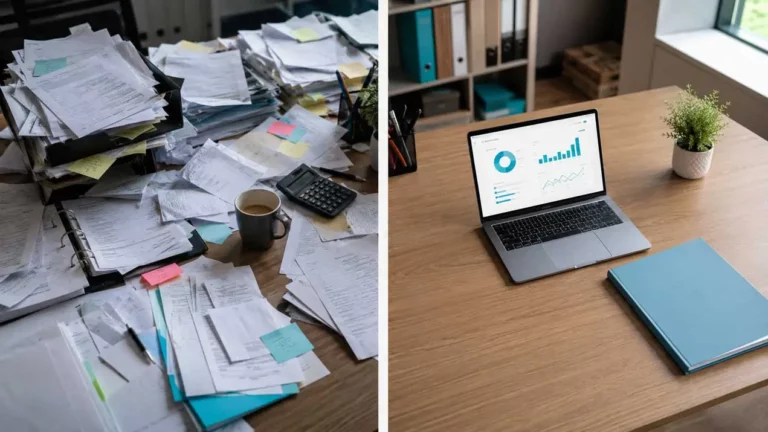
A restaurant voucher in the left pocket. A taxi bill in the wallet. A car park bill photographed in a hurry with your phone. And at the end of the month, an hour spent putting it all together to write up your expenses – if you haven’t simply waived certain reimbursements.
For managers, the problem is different but just as real: how do you keep track of your team’s spending in real time, without waiting for the end of the month and a pile of crumpled receipts?
The dematerialisation of expense claims and receipts solves both problems. And with Azopio Snap, Azopio’s mobile application, the process is as simple as taking a photo.
1. The true cost of a poorly managed expense claim
Expense claims are often treated as a secondary task – a form to fill in, tickets to paste in, an attachment to send. But over the course of a year, manual management of expense claims represents a significant amount of wasted time and risk.
For the employee or associate
- Lost receipts mean unreimbursed expenses.
- An advance payment tied up pending treatment.
- Time spent finding, photographing, pasting and sending coins at the end of each month.
For managers and CFOs
- No real-time visibility of expenses incurred.
- Documents received in bulk, often incomplete or illegible.
- Time-consuming manual re-entry for the accounts department.
- A risk of dispute or rejection in the event of a tax audit if the supporting documents are not valid.
| 💡 Regulatory point: since 2017, the law has authorised the destruction of the paper proof provided that its digital version is certified as compliant (decree of 23 May 2013 on the reliable audit trail). This presupposes a certified archiving solution – not just a photo in a cloud folder. |
2. What dematerialisation changes
Electronic expense reporting is not just about taking a photo and sending it by email. It means integrating the receipt into an automated workflow that :
- Automatically extracts key data: amount, VAT, date, supplier.
- Secure document archiving with tax-recognised evidential value.
- Centralises all expenses in a single area accessible to the chartered accountant.
- Exports accounting entries directly to your software (Sage, Cegid, ACD…).
The result is zero re-keying, zero loss of receipts, and up-to-date accounting in real time.
3. How Azopio Snap works
Azopio Snap is Azopio’s mobile application, available on iOS and Android. It is designed to be used by anyone in the company – without training or complex configuration.
Flow in 3 stages
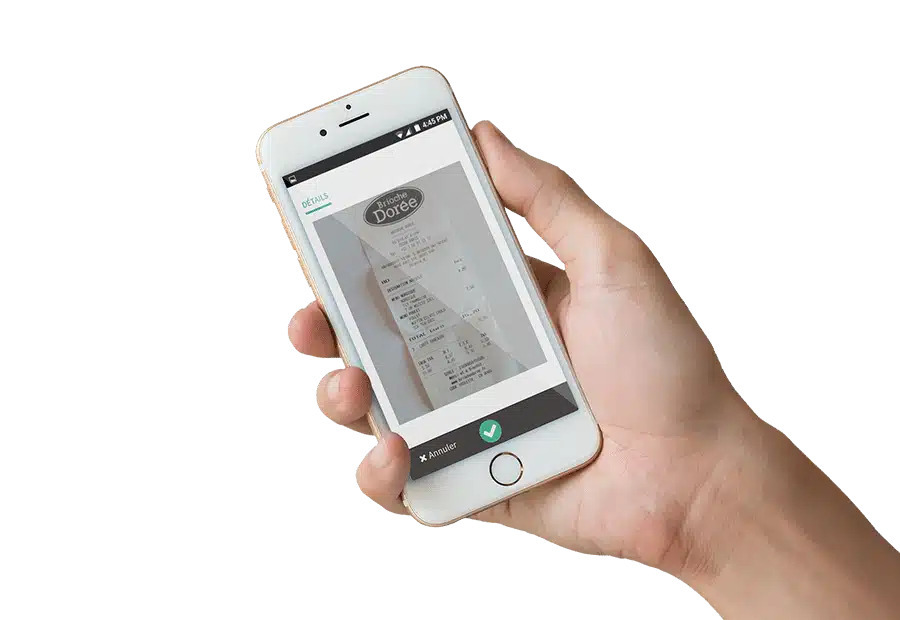
Step 1 – Take a photo.
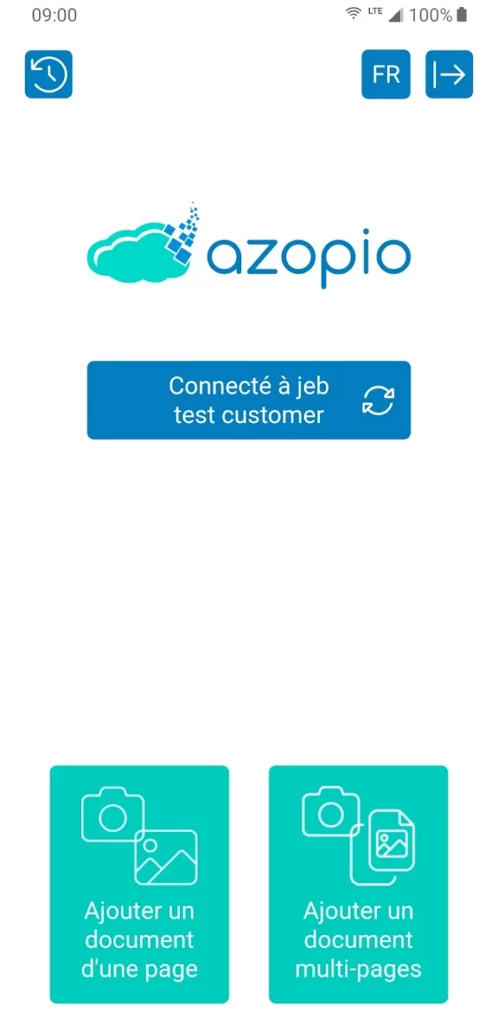
Open Azopio Snap, choose “add a one-page document” or “multi-page document” as appropriate, and photograph the receipt. The application is connected to your Azopio account and sends the document instantly.
Step 2 – Azopio automatically extracts and classifies.
Azopio’s artificial intelligence reads the document, extracts the key data (amount before tax, VAT, date, supplier name) and pre-assigns the accounting accounts according to your pre-defined rules. The document is securely archived in your Azopio EDM.
Step 3 – Your chartered accountant accesses it directly.
All documents are available in real time in the Azopio space, along with their status (checked, validated, booked, paid). A complete history of all documents sent can be consulted from the application. Export to your accounting software is just a few clicks away.
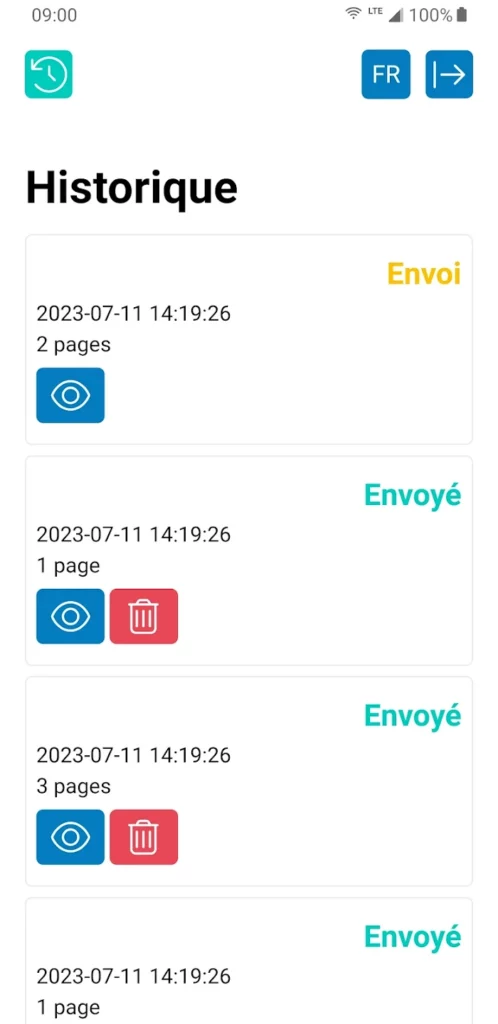
| 💡 The sending history displays the status of each document in real time: “Sent” (being processed) or “Sent” (integrated into your Azopio space). You can view or delete each document from the application. |
4. What it means in everyday life
For employees on the move
There’s no longer any need to accumulate receipts in your wallet until the end of the month. Every expense is captured as it happens, directly from your mobile. Refunds can be processed more quickly, with no risk of loss.
For the manager
You have a real-time view of all the expenses incurred by your teams, filed and ready for the accounts department. No more surprises at the end of the month. No more reminders to obtain missing receipts.
For the accountant
The documents arrive classified and legible, with the data extracted. Data entry time is radically reduced. Collaboration with the company is continuous, not just at the end of the period.
Find out more about all the features for paperless receipts on the Azopio Snap dedicated page.
5. Azopio Snap and the reform of electronic invoicing
The dematerialisation of receipts and expense reports is part of a wider movement. From September 2026, all businesses will have to be able to receive electronic invoices via an Approved Platform. Azopio is officially PA registered with the DGFiP.
This means that your suppliers’ invoices – whether they arrive in structured Factur-X format or as a traditional PDF scanned via Azopio Snap – are all processed in the same interface. A single tool to manage all your accounting documents, before and after the reform.
In a nutshell
Expense claims are one of the most underestimated administrative tasks in business. It’s also one of the easiest to automate. With Azopio Snap, the process is as simple as taking a photo: the rest is automatic.
For employees, it’s the end of lost tickets and forgotten reimbursements. For the manager, it means real-time visibility of all expenses. For the accountant, it means clean, classified documents ready for import.
| Azopio Snap is included in all Azopio subscriptions, along with EDM, pre-accounting and the Approved Platform. → Request an Azopio demo – azopio.com/en/demo/ |
Sources
- Order of 23 May 2013 – conditions for dematerialising invoices (reliable audit trail): https://www.legifrance.gouv.fr
- Electronic invoicing reform 2026: https://www.economie.gouv.fr/tout-savoir-sur-la-facturation-electronique-pour-les-entreprises